Review this content before approving
Content Type
Accolades
Recipient’s name
Jodi Frey and Corey Shdaimah
Publication date
August 29, 2023
Author / contact
Name: Jodi Frey
Email: jfrey@ssw.umaryland.edu
Image
If this image is very large, please download it, resize it to be smaller, and re-upload it.
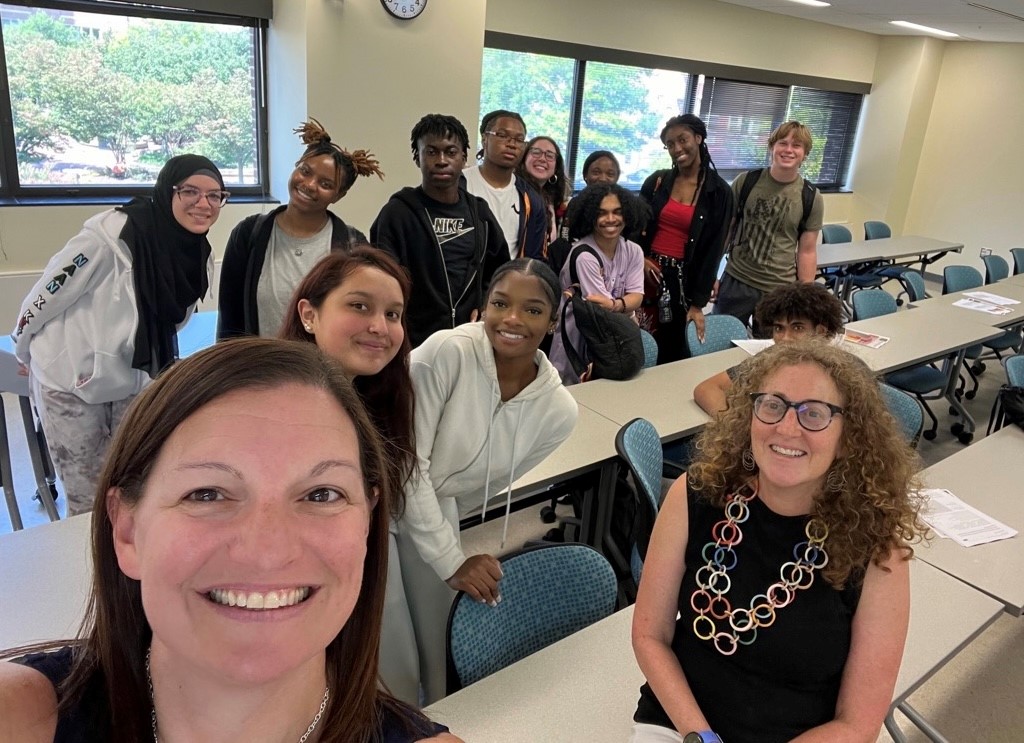
Alt text: Jodi Frey and Corey Shdaimah
Blurb
UMSSW Faculty introduce Social Work Research to UMB Cure Scholars
Main content
On August 8, 2023, two UMSSW faculty, Drs. Jodi Frey and Corey Shdaimah met with students from the UMB CURE Scholars Program to provide an introduction to Social Work Research. Dr. Frey, Professor and Associate Dean for Research, started the meeting off with an overview of the diverse types of research conducted at the SSW and then both faculty members shared highlights from one of their research studies. Dr. Shdaimah presented research methods and findings used in her study of Child Welfare Courts to help demonstrate her scholarship using "Everyday World Policy Analysis" (Naples, 20028). Dr. Frey presented research methods and findings related to her men's suicide prevention work in Michigan demonstrating the use of mixed methods and working collaboratively with the community on public health social work research.
"The CURE Scholars Program at UMB is a groundbreaking year-round program that seeks to empower middle school and high school students in West Baltimore for competitive and rewarding research, health care and STEM-related career opportunities" (https://www.umaryland.edu/cure-scholars).
It was a joy and an honor to learn about the research the students haven been working on this summer and to have had an opportunity to introduce them to social work research topics and methods.
#UMSSWResearch @BHWell_Lab
Approval status
| Campuswide | Dentistry | Graduate | Law | Medicine | Nursing | Pharmacy | Social Work |
|---|---|---|---|---|---|---|---|
Include on the Elm Weekly?
Do not include on the Elm Weekly
Elm Weekly Audience Group
Universitywide
Elm Weekly Subcategory
(Only applies to University Administration)
Unspecified
How many weeks on the Elm Weekly?
1 week
Exclude from Elm Weekly School Editions?
No
Elm Weekly blurb
Optional. Can be used to override the default Elm Weekly blurb.
Elm Weekly image
Optional. Can be used to override the default Elm Weekly image.
Instructions
This listing is accurate as of its most recent publish from the CMS, which occurs automatically every two hours, conditions permitting.
- Review the content for appropriateness, correctness, and compliance. Keep in mind the University's style guides for writing, as well as our web accessibility requirements. Junk code may have been pasted into the submission unintentionally, so watch out for formatting inconsistencies such as text with an unusual size or font.
- Decide whether to approve or reject it for the school or audience group you represent.
- Click the "Edit in CMS" button above to directly edit this content in the CMS, then click the "Edit content" icon. This step requires that you have been assigned access to edit this content in the TerminalFour CMS.
- Find the "Relevant to ... audiences?" radio buttons for your school or audience group. Select "Approved for publication on the ... homepage" or "Not relevant to ... audiences / Do not publish for ... audiences."
- You may make textual revisions or corrections to the content at this time as well. Please note that your edits will apply to all schools or audience groups who have also approved this piece of content. If any groups have already approved this content, you must contact them regarding any edits you wish to make.
- Consider also the Elm Weekly email newsletter. If this piece of content falls under your purview, confirm that the "Elm Weekly audience group" field is correct, then use the "Include on the Elm Weekly?" radio button to either approve or reject the content for inclusion on the Elm Weekly.
- Select "Update and Approve." Your changes will go live the next time the Elm website is automatically published.