Review this content before approving
Content Type
Accolades
Recipient’s name
Benjamin Canha
Publication date
May 22, 2024
Author / contact
Name: Benjamin Canha
Email: canha@umaryland.edu
Image
If this image is very large, please download it, resize it to be smaller, and re-upload it.
Alt text: Benjamin Canha
Blurb
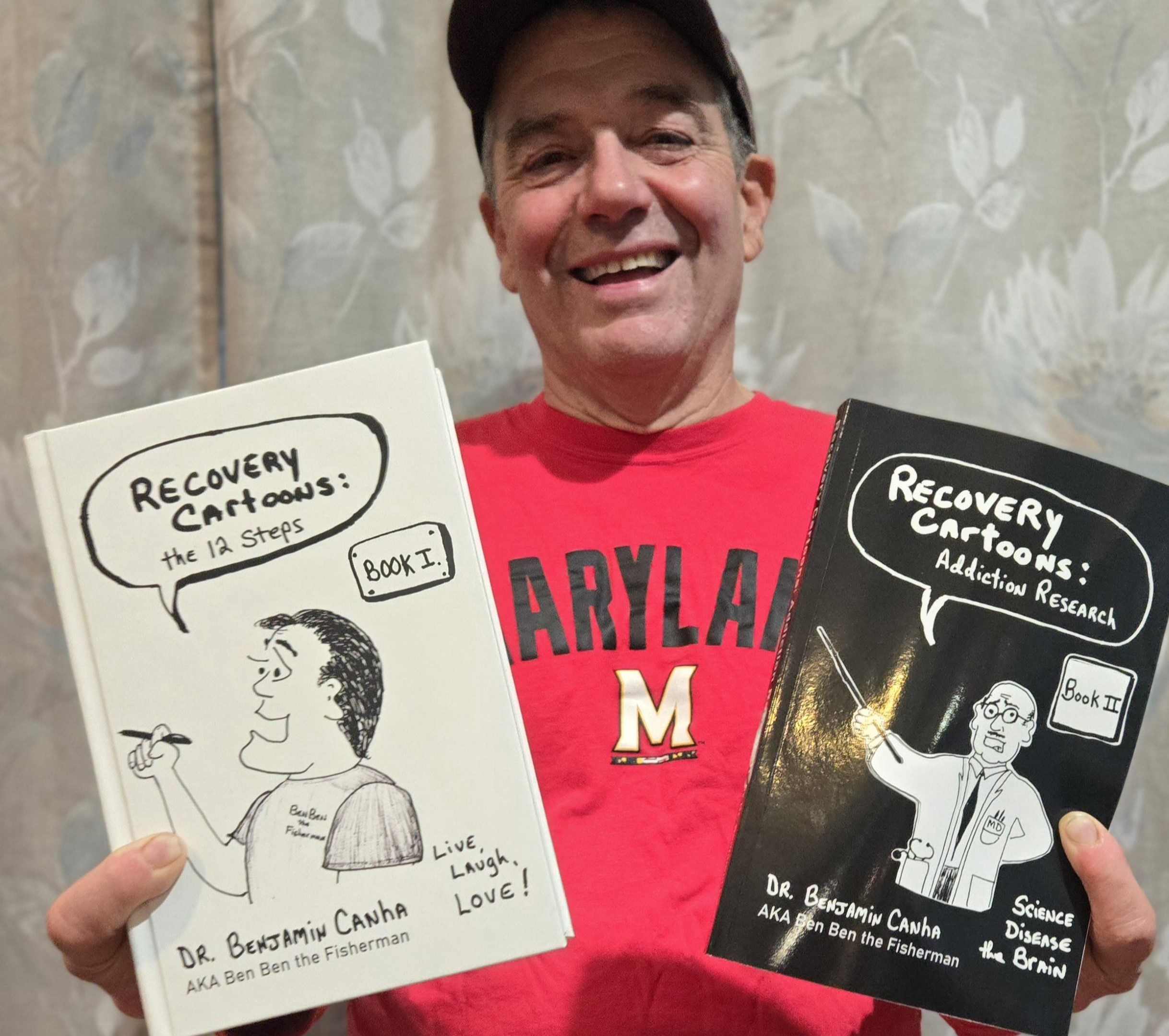
Assistant professor publishes second book.
Main content
Benjamin Canha, PhD '20, RN, assistant professor, has published Recovery Cartoons: Addiction Research (Book II) in which he presents his research exploring the culture of humor in 12-step recovery programs.
By gathering data through observations of humor at meetings, interviews with members, and focus groups, Canha describes the impact humor and laughter has in supporting successful recovery.
"Having fun and not taking ourselves so seriously" allows members to replace drugs and alcohol with connections to others trying to recover, according to Canha. Rich data results are accented with hundreds more hilarious cartoons drawn by Canha, adding levity to his interesting findings. He also tells the story of "Recovery Cartoons" and presents eye-opening Cognitive Behavior Therapy exercises. With Recovery Cartoons: The 12 Steps (Book I) , Canha began this series with a synthesis of 12-step literature and a description of his experiences confronting his own demons. Canha's style of interspersing hilarious one-liner cartoons throughout the text elevates the readers to a creative format of actually experiencing the joy of humor while exploring insights into addiction
Approval status
| Campuswide | Dentistry | Graduate | Law | Medicine | Nursing | Pharmacy | Social Work |
|---|---|---|---|---|---|---|---|
Include on the Elm Weekly?
Do not include on the Elm Weekly
Elm Weekly Audience Group
Universitywide
Elm Weekly Subcategory
(Only applies to University Administration)
Unspecified
How many weeks on the Elm Weekly?
1 week
Exclude from Elm Weekly School Editions?
No
Elm Weekly blurb
Optional. Can be used to override the default Elm Weekly blurb.
Elm Weekly image
Optional. Can be used to override the default Elm Weekly image.
Instructions
This listing is accurate as of its most recent publish from the CMS, which occurs automatically every two hours, conditions permitting.
- Review the content for appropriateness, correctness, and compliance. Keep in mind the University's style guides for writing, as well as our web accessibility requirements. Junk code may have been pasted into the submission unintentionally, so watch out for formatting inconsistencies such as text with an unusual size or font.
- Decide whether to approve or reject it for the school or audience group you represent.
- Click the "Edit in CMS" button above to directly edit this content in the CMS, then click the "Edit content" icon. This step requires that you have been assigned access to edit this content in the TerminalFour CMS.
- Find the "Relevant to ... audiences?" radio buttons for your school or audience group. Select "Approved for publication on the ... homepage" or "Not relevant to ... audiences / Do not publish for ... audiences."
- You may make textual revisions or corrections to the content at this time as well. Please note that your edits will apply to all schools or audience groups who have also approved this piece of content. If any groups have already approved this content, you must contact them regarding any edits you wish to make.
- Consider also the Elm Weekly email newsletter. If this piece of content falls under your purview, confirm that the "Elm Weekly audience group" field is correct, then use the "Include on the Elm Weekly?" radio button to either approve or reject the content for inclusion on the Elm Weekly.
- Select "Update and Approve." Your changes will go live the next time the Elm website is automatically published.