With a nod to the movie “Zoolander,” here’s how audio descriptions help students and the public understand what they can’t see — and how to apply them effectively in your videos.
Digital accessibility begins with awareness and action across the UMB community. New federal regulations that take effect in April 2027 require public universities, including UMB, to ensure that their websites, course content, digital documents, and online tools are accessible to the public and students with disabilities to access our programs, services, and activities. We will be sharing information and tips in “The Elm Weekly.”
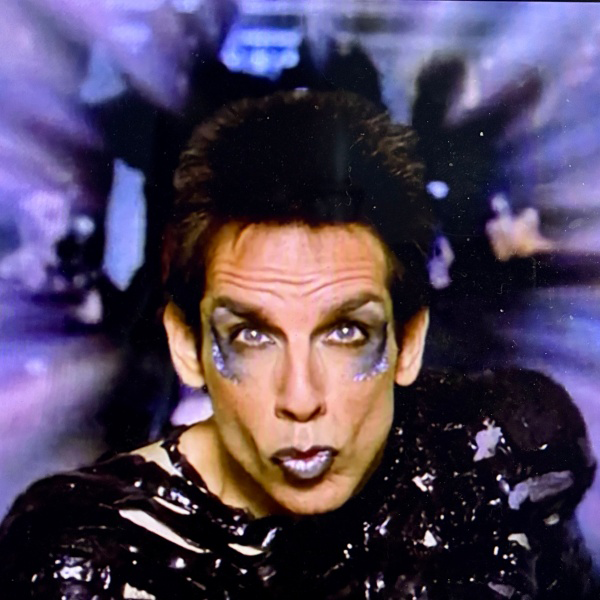
Photo: Ben Stiller as Derek Zoolander in the 2001 film “Zoolander,” giving his signature Blue Steel look. (Courtesy of Paramount)
In the 2001 comedy “Zoolander,” the titular character is presented with a scale model of a museum-like building featuring an oversized open book sculpture on the roof, dubbed The Derek Zoolander Center for Kids Who Can’t Read Good (and Who Wanna Learn to Do Other Stuff Good Too).
Zoolander inspects the model and asks his nemesis, Mugatu, “What is this?” He throws the model to the ground, breaking it, and says, “A center for ants? How can we be expected to teach children to learn how to read if they can’t even fit inside the building?”
He’s right. We can’t expect people who can’t see a video with visual information to understand it without descriptive audio.
The opening of this article, with a few small tweaks, could be used to narrate that scene’s action. Even if you’ve never seen “Zoolander,” you can picture what’s happening.
That’s the purpose of audio descriptions — helping students and the public who are blind or have low vision understand what’s happening in a video they can’t see. It’s the visual counterpart to closed captions, which most people are familiar with for making audio accessible.
Tools such as ViddyScribe, which we use at the University of Maryland, Baltimore (UMB) to support WCAG 2.1 Level AA compliance, can use artificial intelligence to analyze scenes and generate descriptions. But tools only go so far. It’s still important to know what to describe, why it matters to your audience, and how to write descriptions yourself.
There are three types of audio description:
- Integrated narration
- Audio description track
- Extended audio description
Not every video requires all three. Understanding when to use each is key — and that’s where most questions come up. For a full breakdown of when audio description is required, visit the Audio Descriptions for Video page on the UMB Digital Accessibility website.
Integrated Narration
Integrated narration is the most accessible starting point — and something anyone can do, regardless of editing skills. It simply means building description into the script so essential visuals are spoken aloud as part of the dialogue.
Think about one of the most common university video formats: slide presentations.
As the presenter moves through slides, they:
- Read slide content aloud
- Explain charts and statistics verbally
- Speak on-screen text
- Describe demonstrations in real time
When narration already conveys the necessary visual information, the video includes integrated audio description.
That doesn’t mean describing every visual detail. But when text appears on screen, it should be read aloud so meaning isn’t lost.
Audio Description Track
For videos that rely on visual storytelling — or include important text that isn’t read aloud — an audio description (AD) track is needed.
Platforms such as YouTube and Vimeo support AD tracks, allowing viewers to turn them on when available. These tracks are recorded and uploaded separately from the main audio.
This is especially useful for:
- Dates or deadlines shown on screen
- Signs on or inside buildings
- Registration information
- Key statistics or data points
Not every visual needs to be described. B-roll, scenic campus footage, or crowd shots typically don’t require description — unless they convey essential information that isn’t already explained in the narration.
Revisiting the “Zoolander” scene, the dialogue and AD track used in the movie reads as:
MUGATU: “Without much further ado, I give you … the Derek Zoolander Center for Kids Who Can’t Read Good.”
AUDIO DESCRIPTION NARRATOR: Derek stoops to examine a small-scale model of a building with a book sculpture on top.
Mugatu and Todd stand beside him, watching closely.
Derek stands and glares at Mugatu.
ZOOLANDER: “What is this?”
AUDIO DESCRIPTION NARRATOR: Derek grabs the model and smashes it on the ground.
Compared to the opening example, this version is concise, active, and timed to fit between dialogue without interrupting the scene.
Although, to be fair, viewers relying on this track still wouldn’t get the full joke because the building’s full name on the sign isn’t spoken.
Extended Audio Description
In some videos, key visual information happens too quickly to describe without talking over dialogue.
That’s where extended audio description comes in.
In these cases, the video is paused while additional description is provided. Sometimes this appears as a black screen, which is acceptable for compliance. For a better experience, pause on the first frame of the scene being described.
Unlike a separate AD track, extended audio description is built into the primary audio of the video.
This approach allows for richer, more detailed descriptions. In the “Zoolander” example, an extended description could include details like the wooden model structure, the glass entrance, the oversized “D” and “Z” on the façade, and the plaza in front of the building.
At that level, you’re moving closer to a detailed image description — similar to expanded alternative text — helping the audience to fully understand the visual context.
You also can use this type of written description in social media posts on platforms that don’t support audio description tracks, especially when space allows and visuals carry important meaning.
Students and the public deserve the best experience possible when engaging with UMB videos, regardless of ability. If you’re unsure about where to start, think about how you’d describe a memorable movie scene to a friend who can’t see it. That’s your starting point.
If they can follow along, you’ve done your job. Then you can reward them with your best Blue Steel — pursed lips, slightly sucked-in cheeks, and an intense, smoldering gaze straight at the camera.